# Lecture 3 (from FP) -- Objects and Interfaces
## Motivating Question
How can we create a zoo with multiple kinds of animals?
## Conceptual Study Questions
- If a variable is given an interface as a type, what fields and methods can be accessed through that variable?
- What changes if that same variable is given a class that implements the interface as a type?
# Table of Contents
[TOC]
# Under the Hood: Classes, Objects, Naming, and `new`
To understand how Java \"works\", we will map out what happens under the hood as you compile and run programs. Java organizes your programs and computations into four main \"areas\" under the hood: **known classes**, **existing objects**, **named values**, and the **current expression** that we are evaluating (sometimes called a **program counter**) . Before you compile a program, all of these are empty (well, mostly: Java has a bunch of built-in classes, but we haven't talked about those yet). The following image shows an empty map from before you compile a program.
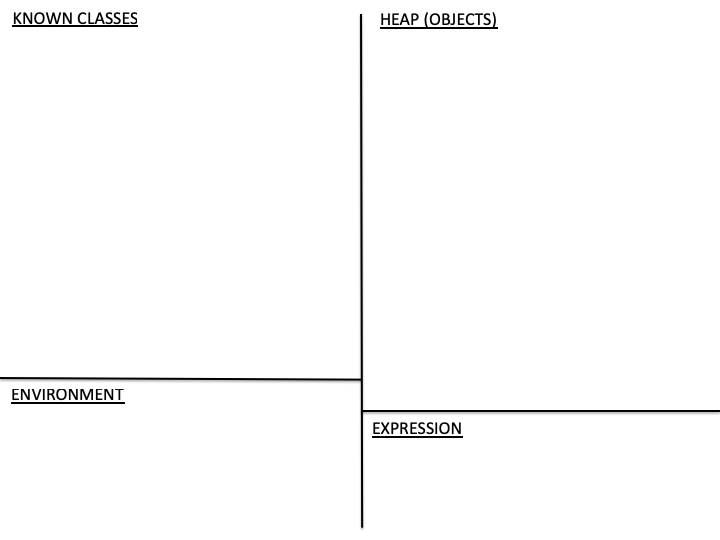
Different areas of the map get populated by different constructs and operators in Java. Roughly speaking, the `class` construct modifies the **known classes** area (in the compile step), `new`modifies the **existing objects** area (in the run or testing steps), and `=` modifies the **named values** area (in the run step). The first few slides in the PDF alongside these notes illustrate what happens here.
What should you understand from this?
- The **known classes** area gets modified when you **compile** the program -- that's when Java finds out what classes your program knows about.
- The **existing objects** and **named values** areas get modified when you **run** or **test** the program. While we've only looked at defining examples so far, you can imagine from your prior programming experience that you could create objects and name values frequently while running a program. These areas are much more dynamic.
- Objects are only accessible through names. Under the hood, there are often objects that exist but aren't accessible. *This isn't a problem!*. What matters is that you have names for the objects that you need to get to. This is actually a fairly complex topic that we will revisit throughout the course.
We will return to this picture throughout the course.
How does calling a method interact with these pieces of memory?
Imagine that you have our `Dillo` class, and you run the following two lines of code based on it:
```=java
Dillo babyDillo = new Dillo(8, false);
boolean answer = babyDillo.canShelter();
```
Look at the call to the method in the second line. It has the form `babyDillo.canShelter()`. Remember that all methods live inside objects? If you want to call a method, you need to tell Java where to find the method. Here, we are telling Java to "look inside `babyDillo`, get the `canShelter` method, and call it" (the . means "look inside").
Once Java is inside the `babyDillo` object, it also has access to the `length` and `isDead` fields within that object. These are denoted by the `this.length` and `this.isDead` expressions in the code.
Under the hood, when you call a method via an object, Java adds the name`this` to the environment, and has it refer to the referring object. Thus expressions like `this.length` work normally: find the object named `this`, dig into it, and extract the `length` field.
There's a link alongside these notes on the lectures page with a PDF of
slides showing how this works.
# Creating Data with Variants: Zoos and Animals
So far, we've defined a class for Dillos. What if we were managing an entire zoo with other kinds of animals as well? We would need to define classes for those other kinds of animals. We would probably have methods or fields in other classes that could hold any kind of animal (for example, a class storing information about shows at the zoo might need fields for the featured animal and the duration of the show: the featured animal could be from one of several classes).
Specifically, we might want to create the following class:
```=java
public class Zoo {
public _________ animal1;
public _________ animal2;
}
```
where `animal1` and `animal2` could be one of several different types of animals.
In this section, we will add a second kind of animal, create a type for animals, use it in the `Zoo` class, and write a method `isNormalSize` that determines whether an animal's length is in the usual range for its kind.
# Defining Data with Variants
Data has **variants** if it has encompasses other kinds of data with different components. Animals have variants (not all animals have the same attributes), as do *shapes* (different attributes define circles and rectangles, for example). You saw data with variants (or cases) in CS111/17/19. For example, here's a ReasonML type definition for animals, containing armadillos and Boa constrictors (where boas have a name, length, and favorite food) -- the Pyret version would use a similar-looking data block:
```=ml
type animal =
| Dillo(int, bool)
| Boa(string, int, string);
```
Let's define the boa class in Java:
```=java
public class Boa {
public String name ;
public int length ;
public String eats ;
public Boa (String name, int length, String eats)
this.name = name ;
this.length = length ;
this.eats = eats ;
}
```
To introduce a new type that is simply one of several classes, we use a construct called an **interface**. We first create an interface, then we connect it to the classes that belong to it. First, here's the code to create the interface.
```=java
interface IAnimal
```
Right now, all this interface does is declare a new type name called `IAnimal` (by convention, interfaces in Java start with a capital letter `I`). We will do more with it shortly.
The interface declaration introduces `IAnimal` as a type name, but we have not yet made Boas and Dillos valid variants of animals. To do that, we add `IAnimal` to the first line of each of the `Boa` and `Dillo` class definitions through an `implements` clause, as follows:
```=java
public interface IAnimal {}
public class Dillo implements IAnimal {
int length ;
...
}
public class Boa implements IAnimal {
String name ;
...
}
```
In Java, `implements` achieves two things: it declares that a given class is a valid value of the type with the name of the interface, and it requires the class to satisfy all constraints of the interface. `IAnimal` doesn't yet impose constraints on its implementing classes, but we'll get to that shortly.
*If you are coming from previous Java experience and would not have used an interface here, hold that thought. We will address your question in the next lecture.*
What about examples of data? How do we create `IAnimals`? We can only create objects from classes, not from interfaces. Every Dillo and every Boa is an example of `IAnimal`, so there's no need for you to create additional examples of data just because you added an interface.
With this interface, we can now finish the `Zoo` class:
```=java
public class Zoo {
public IAnimal animal1;
public IAnimal animal2;
}
```
## Methods over Data with Variants
Let's write a method on `IAnimal` that determines whether the animal is normal size for its type. We'll say that a boa is normal size if its length is between 30 and 60 and an armadillo is normal size if its length is between 12 and 24.
We remarked earlier that in OOP, all methods live with their corresponding data. Since the data on animals lie in the `Boa` and `Dillo` classes, the `isNormalSize` method should live there too. We therefore put an `isNormalSize` method in each of the `Boa` and `Dillo` classes (for brevity, we omit the Dillo's `canShelter` method). The code is below.
```=java=
public class Dillo implements IAnimal {
public int length ;
public boolean isDead ;
public Dillo (int len, boolean isD) {
this.length = len ;
this.isDead = isD ;
}
/**
* check whether armadillo's length is considered normal
*/
public boolean isNormalSize() {
return 12 <= this.length && this.length <= 24 ;
}
}
public class Boa implements IAnimal {
public String name ;
public int length ;
public String eats ;
public Boa (String name, int length, String eats) {
this.name = name ;
this.length = length ;
this.eats = eats ;
}
/**
* check whether boa's length is considered normal
*/
public boolean isNormalSize() {
return 30 <= this.length && this.length <= 60 ;
}
}
```
Wait -- we now appear to have two methods, each called `isNormalSize`. *How does Java know which one to use?*
Remember that we call methods through objects, and each object carries a copy of its methods. So if you call
```=java
babyDillo.isNormalSize()
```
Java will use the version of the method from the `Dillo` class. This feature of choosing which version of a method to use based on the class for an object is called **dispatch**. This is another fundamental element of OOP. For now, all you need to understand is that you get to methods through objects, so you can have different \"versions\" of the same method in different classes, and Java will find the right one automatically (by going through the object).
# Requiring a Method in all Classes in an Interface
Now that we have the `isNormalSize` method on both Boas and Dillos, we can write a method in the `Zoo` class to check whether both animals are of normal size (this also lets us show you how to write if-expressions in Java). For brevity, the code below omits the constructor (since it follows the standard constructor pattern):
```=java
public class Zoo {
public IAnimal animal1;
public IAnimal animal2;
// constructor omitted
/**
* check whether all animals are of normal size
*/
public String healthCheck() {
if (animal1.isNormalSize() && animal2.isNormalSize()) {
return "Passed";
} else {
return "Failed";
}
}
}
```
Hmm, IntelliJ is flagging an error on the calls to `isNormalSize`. Why?
Java takes two passes over your program when you attempt to run it. In the first pass, it makes sure that the types of objects are consistent with the method calls that you make using those objects. Here, we are trying to call
```=java
animal1.isNormalSize()
```
IntelliJ is reporting that `isNormalSize()` is undefined for type `IAnimal`. While every `IAnimal` class that we've written so far has a method called `isNormalSize`, nothing *requires* those classes to have that method. We could add another `IAnimal` that didn't have that method. Hence Java reports an error.
We address this by expanding the `IAnimal` interface to require `isNormalSize`:
```=java
interface IAnimal {
public boolean isNormalSize () ;
}
```
Now, if a class implements `IAnimal` but does not include an `isNormalSize` method, Java will flag an error. This is your first example of a constraint that an interface imposes on its implementing classes.
# Review/Summary on Types
At this point, we've seen three kinds of types in Java:
- built in types for "atomic" data, like `int`, `boolean`, `string`
- Classes, like `Dillo`
- Interfaces, like `IAnimal`
The first is clearly distinct from the other two, but how do the other two compare?
Concretely, imagine that we used `Dillo` for the type of one armadillo and `IAnimal` for another in the `AnimaTest` class. What difference would that make?
```java=
public class AnimalTest {
Dillo adultDillo = new Dillo (24, false);
IAnimal hugeDeadDillo = new Dillo (65, true);
}
```
We mentioned earlier that Java takes two passes when running your program: one (called *compilation*) to make sure that all the types (and some other constraints) make sense, and one to actually execute the code. Compilation performs its checks using information that can be found directly in class and interface definitions. What does the compiler know about Dillos, just from looking at the class definition?
- They have fields `length` and `isDead`
- They have methods `isNormalSize` and `canShelter`
What does the compiler know about IAnimals, again looking only at the interface definition?
- They have an `isNormalSize` method
So if you try to write `hugeDeadDillo.canShelter()` when `hugeDeadDillo` has type `IAnimal`, the compiler will raise an error, because it has no guarantee that all IAnimals have that method. But the method is clearly there -- you can see it, so why can't Java? Because you are chaining together information: that `hugeDeadDillo` is actually a Dillo, and that Dillos have the `canShelter` method. Java doesn't do this sort of multi-step reasoning (we'll try to explain why later in the semester). It only looks at what is known from the class or interface itself.
**Exercise:** play around with the types and interface annotations within the animal code, and see when the compiler raises errors. What if you take the `IAnimal` annotation off the `Dillo` class? What if you take `isNormalSize()` out of the interface? What if you change the types on the specific animals when defining them in `AnimalTest`. Play with this until you think you have a sense of how the types work, and come to office hours or post on Piazza if you have questions.